
Video to GIF Background Remover
Create Transparent GIF Loops
Remove a video background and convert the result to a transparent GIF for social posts, stickers, product demos, or embedded loops. Upload a clip and create a clean animated result in minutes.
Remove BG Video Instantly
Upload your video to remove background automatically
Click to upload or drag & drop
Supported formats: MP4, MOV and WEBM
Uploads containing sexual or adult content, graphic violence, politically sensitive material, or minors are prohibited. Terms
4K
Max Quality
60
Max Length
$1.50-$4
Per Min
Why Teams Use Remove BG Video to GIF Workflows
The reason teams choose to remove bg video to gif is simple: GIF loops are still one of the most compatible animated formats across websites, chat apps, and social platforms.
AI Subject Isolation
You can remove bg video to gif without manual masking. AI handles subject extraction across frames and reduces repetitive editing.
Universal Sharing
Once you remove bg video to gif, the output can be used in social comments, community posts, presentations, and lightweight web sections.
Reusable Assets
One source clip can produce many loops. A remove bg video to gif pipeline helps teams scale content without repeated shooting.
Fast Turnaround
For campaigns and product launches, fast iteration matters. Preview and export loops in a workflow designed for quick publishing.
Multi-Format Flexibility
Even if your final target is GIF, you can maintain optional exports for web and editor workflows from the same processing session.
Team-Friendly Process
Documented presets and quality checks make remove bg video to gif predictable across creators, marketers, and designers.
Video Background Removal Examples
See the power of our AI video background remover. Drag the slider to compare before and after results.
Already have a green screen?
View All ExamplesSimple, Transparent Pricing
No subscription lock-in. Pay only when you export final output.
BASIC
Perfect to test remove bg video to gif workflows
(180 credits) • 3 minutes of processing
What's included:
- Up to 4K video processing
- GIF and transparent export options
- Preview before export
- Batch processing
- API access
STANDARD
Ideal for weekly remove bg video to gif production
(600 credits) • 10 minutes of processing
What's included:
- Up to 4K video processing
- GIF and transparent export options
- Batch processing (up to 2 videos)
- Preview before export
- API access
PRO
Made for long videos or 100+ shorter videos
(1800 credits) • 30 minutes of processing
What's included:
- Up to 4K video processing
- GIF and transparent export options
- Batch processing (up to 3 videos)
- Preview before export
- API access
How to Remove BG Video to GIF with Better Quality
A practical remove bg video to gif workflow is not just about cutting out the background. It is about balancing edge quality, color limitations, loop length, and file weight so the final asset performs well where it is published.
Subject-First Editing
When you remove bg video to gif, edge stability drives quality. Focus on subject clarity first, then choose loop framing and timing.
Keep Loops Short and Intentional
A short clip usually produces cleaner output. Teams that remove bg video to gif for sharing often use concise loops for better readability and smaller size.
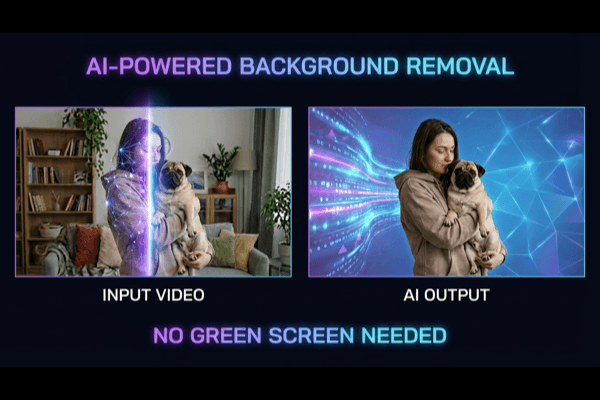
Publish Across Platforms with Less Friction
Once you remove bg video to gif, distribution is easier because GIF is broadly compatible. Use it in community content, support responses, product announcements, and embedded web storytelling.
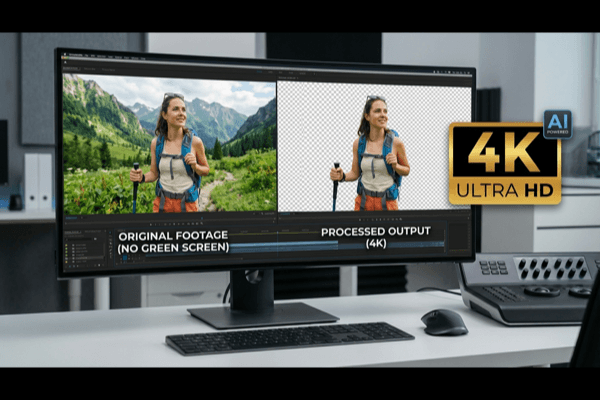
Create a transparent GIF that stays readable
1. Choose a short, repeatable movement
Use a brief gesture or product turn with a clear beginning and end. A short loop is easier to review and usually creates a smaller file than a long scene.
2. Remove the background before conversion
Upload the source video and inspect the isolated subject in motion. Converting the original video to GIF alone does not remove its background.
3. Keep the export background transparent
Choose the transparent background option and GIF output. Adding a solid color or image first makes that scene part of the export instead of leaving it see-through.
4. Check edges and file size where you will use it
GIF transparency is fully on or off for each pixel, so soft hair and motion blur may look rougher than in the video preview. Test the actual downloaded GIF on the destination background. For finer transparent edges, consider WebM in a compatible player.
Format reference: MDN media format documentation.
Remove BG Video to GIF FAQ
Practical answers for creators and teams running a remove bg video to gif workflow.
Will the GIF keep the audio?
No. GIF stores animation without an audio track. Use a video format when speech, music or sound effects are part of the message.
Why do transparent GIF edges look jagged?
GIF uses a limited color palette and does not preserve partially transparent pixels. Fine hair and soft shadows can become harder edges; check the animation against its intended background.
How can I reduce the GIF file size?
Shorten the clip and reduce its dimensions before export. If your conversion workflow offers frame-rate controls, a lower frame rate can also reduce size, at the cost of smoother motion.
Is WebM better for a website overlay?
WebM can preserve partial transparency in compatible players and may be a better fit for detailed moving subjects. GIF is useful when the destination accepts an animated image; test both the format and file-size limits of that destination.
Why did a messaging app show a solid background?
Check the downloaded GIF locally first. Some destinations convert uploaded media or display it against a solid surface. Confirm that transparency survives the destination upload rather than relying only on the editor preview.

Ready to Remove BG Video to GIF?
Start your next remove bg video to gif project with AI precision, fast preview, and export options built for modern publishing teams.