
Change Video Background Online
Replace Any Scene with AI
Replace a distracting scene with a solid color or your own background image. Upload your video, isolate the subject with AI, and preview the new scene before choosing your export format.
Remove BG Video Instantly
Upload your video to remove background automatically
Click to upload or drag & drop
Supported formats: MP4, MOV and WEBM
Uploads containing sexual or adult content, graphic violence, politically sensitive material, or minors are prohibited. Terms
4K
Max Quality
60
Max Length
$1.50-$4
Per Min
Video Background Removal Examples
See the power of our AI video background remover. Drag the slider to compare before and after results.
Already have a green screen?
View All ExamplesSimple, Transparent Pricing
No subscriptions. Pay only to process your videos.
BASIC
Perfect to test scene replacement output
(180 credits) • 3 minutes of processing
What's included:
- Up to 4K video processing
- Background replacement + transparent output
- Preview before export
- Batch processing
- API access
STANDARD
Ideal for longer videos or multiple short videos
(600 credits) • 10 minutes of processing
What's included:
- Up to 4K video processing
- Background replacement + transparent output
- Batch processing (up to 2 videos)
- Preview before export
- API access
PRO
Made for long videos or 100+ shorter videos
(1800 credits) • 30 minutes of processing
What's included:
- Up to 4K video processing
- Background replacement + transparent output
- Batch processing (up to 3 videos)
- Preview before export
- API access
Need custom pricing or higher volumes? Contact support@removebgvideo.com
Why Teams Use Change Video Background Online
A change video background online workflow gives teams reusable subject footage. Instead of reshooting scenes, you can place one change video background online output over multiple campaign environments while keeping consistent message and style.
AI Subject Isolation
Generate clean subject edges with change video background online without requiring green screen setup. Keep natural movement and preserve hair and hand detail.
Reusable Creative Variants
One change video background online source can power homepage videos, paid ad variants, onboarding scenes, and social campaigns from a single recording.
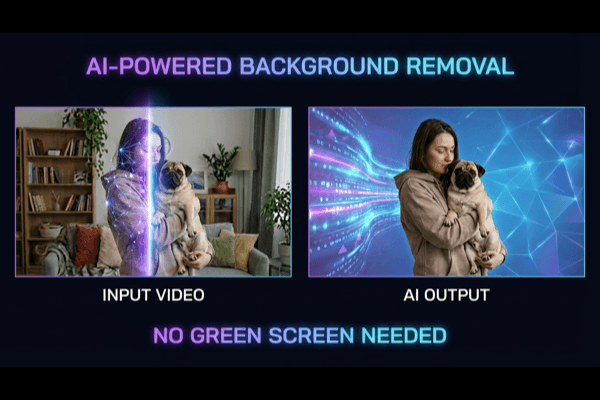
Ship Replacement Videos Faster
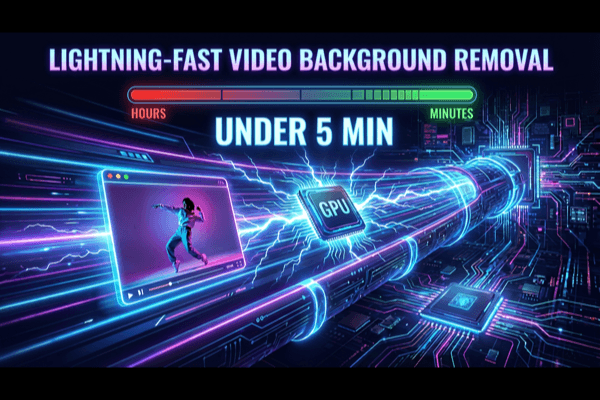
A production-ready change video background online pipeline cuts manual masking, shortens review cycles, and helps teams publish more creative versions in less time.
Choose the Right Output for Each Channel
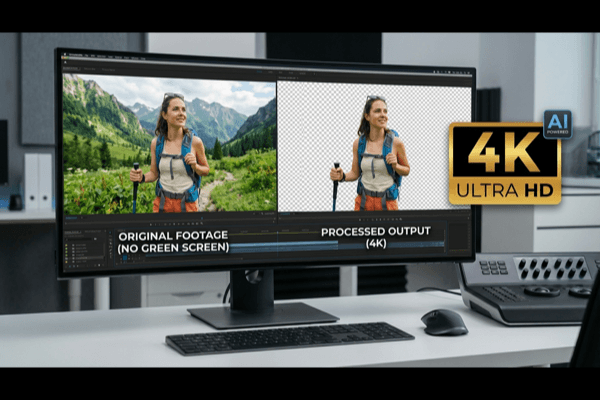
Export your change video background online results for browser delivery, product demos, paid ads, or post-production timelines. Pick format by destination and keep output consistent.
How to replace a video background
1. Prepare a short test clip
Choose footage with an unobstructed subject and even lighting. Start with a few seconds containing a head turn or hand movement so you can judge difficult edges before processing a longer recording.
2. Remove the original scene
Upload the clip and run background removal. Review the moving result around hair, fingers and clothing. If the subject disappears into the scene, try a better-lit source rather than hiding the problem behind a new image.
3. Choose the replacement
In the dashboard, choose a solid color or upload a background image. Match its framing and lighting to the subject. A simple scene often looks more convincing than a detailed image with a conflicting camera angle.
4. Export for the destination
For a finished scene, select a background and export MP4. To continue compositing elsewhere, keep the background transparent and choose WebM or another supported alpha format. Replay the downloaded file before publishing.
Change Video Background Online FAQ
Clear answers for teams building a repeatable change video background online process.
Can I change the background without a green screen?
Yes. AI can separate a subject from ordinary footage. Clear lighting and a distinct foreground help; motion blur, overlapping subjects and fine hair can still need closer review.
Can I use my own background image?
Yes. After background removal, choose the image background option in the dashboard and upload your replacement. Check how the scene fits behind the subject before export.
Is changing a video background free?
Check the available preview and credits in your account before processing. Paid processing and exports depend on your balance and selected options; see the pricing page for current details.
Should I download MP4 or transparent WebM?
Use MP4 when the new background should be part of the finished video. Choose transparent WebM when you need to place the subject over another scene in a compatible browser or editor.
Why do the edges flicker?
Blurred movement, compression and weak separation from the original scene can make the subject boundary unstable. Check the same timestamps against both a light and dark background and use a clearer source when possible.

Ready to Change Video Background Online?
Launch your next change video background online project with preview, accurate scene replacement, and export formats that work across product, marketing, and creative teams.