
Examples & Integrations
n8n Integration
Production-ready n8n workflows with importable JSON templates and node-by-node setup guide.
Examples & Integrations
Production-ready n8n workflows with importable JSON templates and node-by-node setup guide.
Download and import these workflows from the n8n editor: Workflows → Import from file.
All templates are designed for RemoveBGVideo Public API v1 and can run with your X-Api-Key header.
GitHub template repo: https://github.com/JsonChao/removebgvideo-n8n-templates
| Variable | Example | Used In |
|---|---|---|
| API_BASE | https://api.removebgvideo.com | All HTTP nodes |
| API_KEY | vbr_xxx | All /v1 calls in X-Api-Key header |
| VIDEO_URL | https://cdn.removebgvideo.com/uploads/7d77f979-cb19-411c-9936-c27829c5bdc5.mp4 | Create job payload |
| WEBHOOK_URL | https://removebgvideo.com/webhooks/removebgvideo | job.started/completed/failed callbacks |
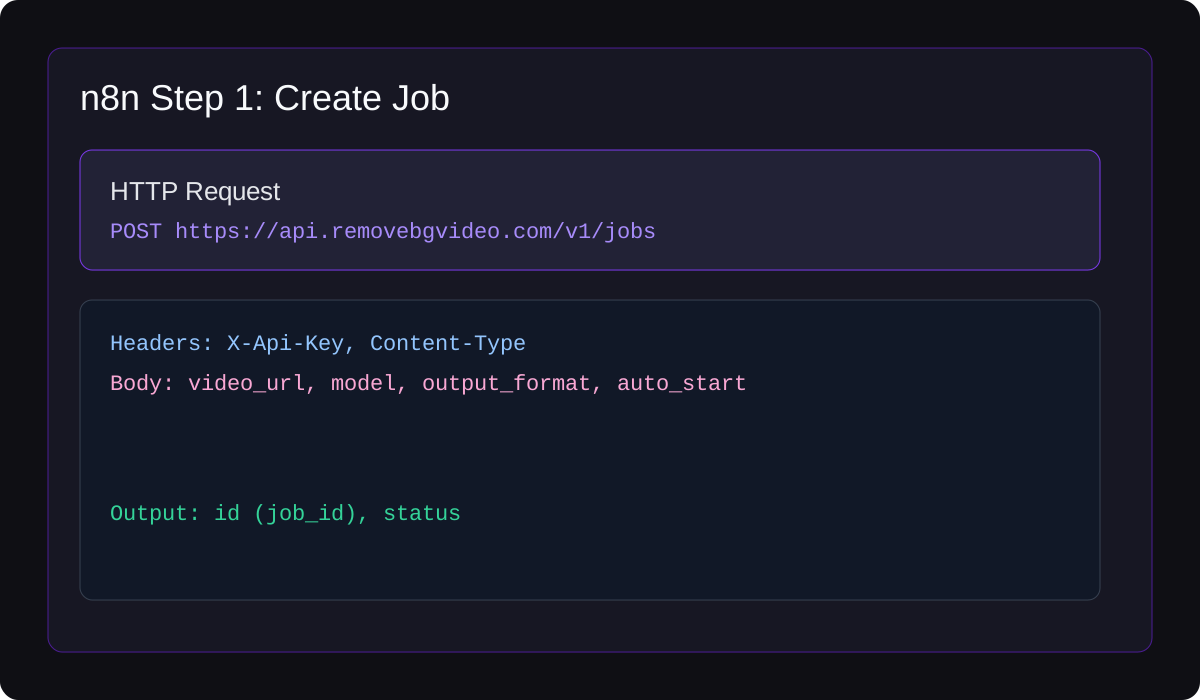
Step 1: Create Job (HTTP Request)
POST /v1/jobs with video_url, model, output_format, auto_start
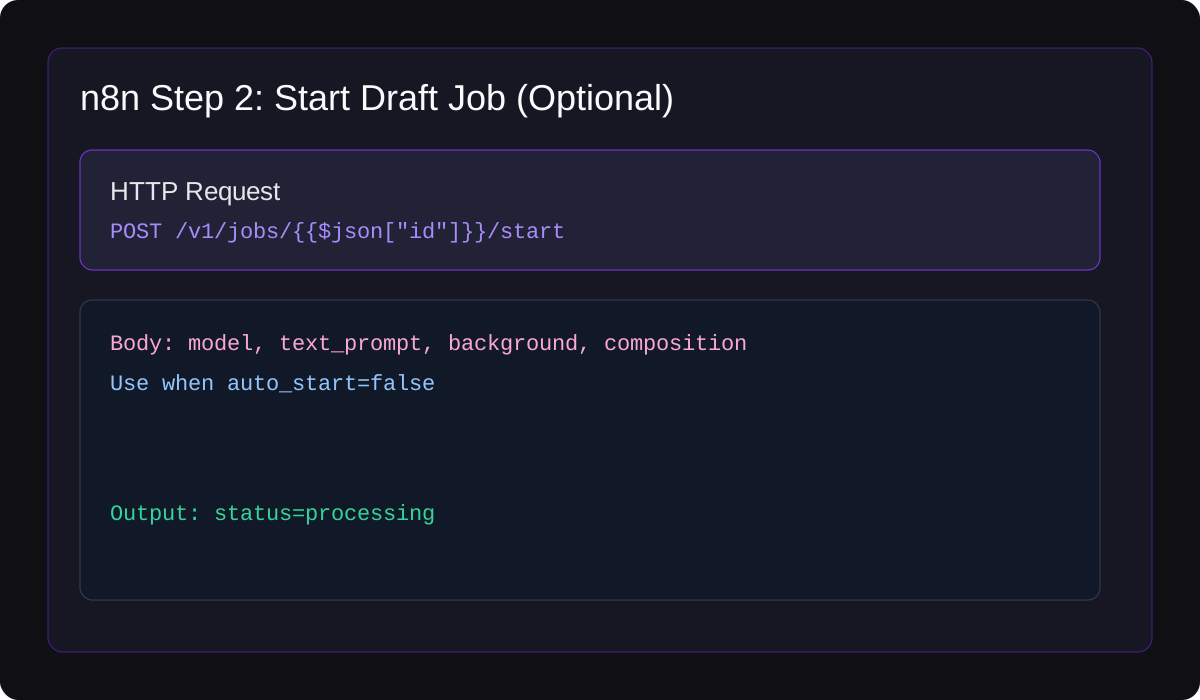
Step 2: Start Draft Job (Optional)
POST /v1/jobs/{job_id}/start for prompt/composition overrides
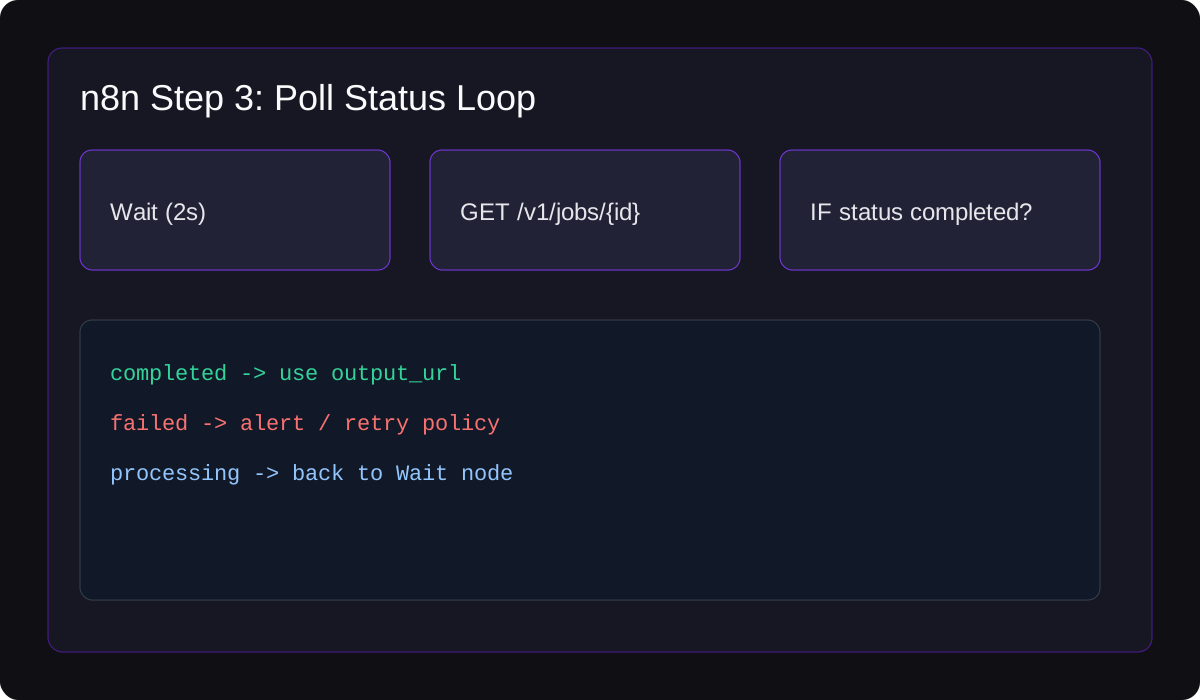
Step 3: Poll Status Loop
GET /v1/jobs/{job_id}, check completed/failed/processing branches
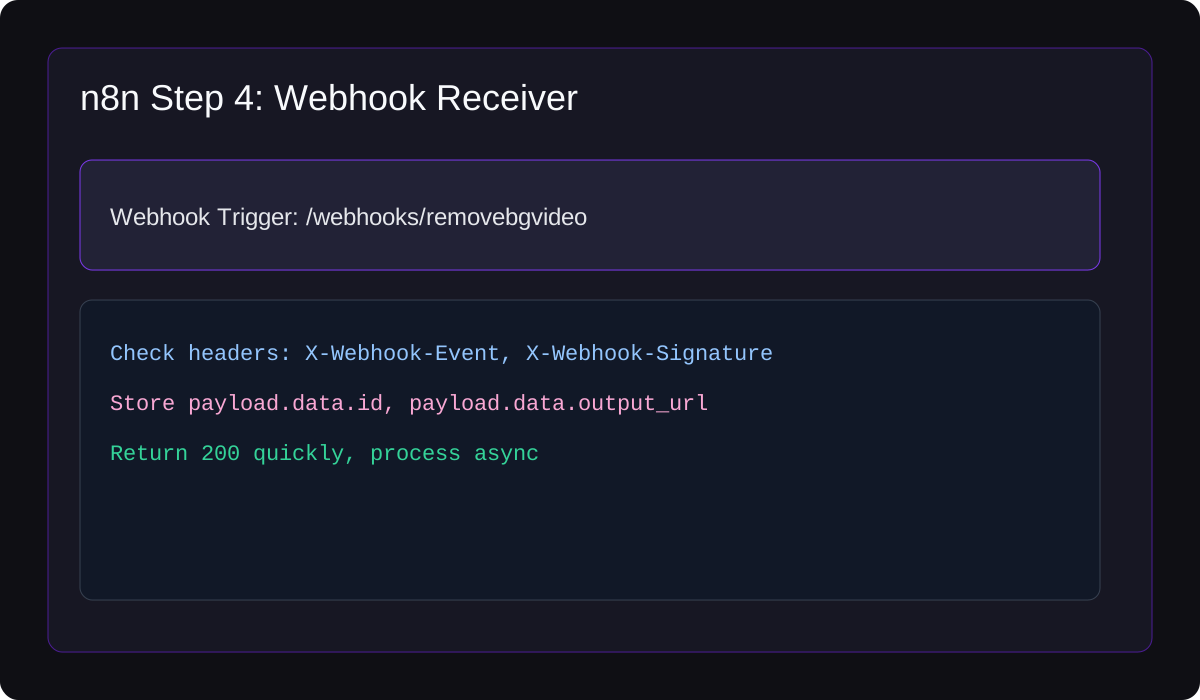
Step 4: Webhook Receiver
Receive job.completed and push output_url to downstream apps
n8n Integration belongs to the Examples & Integrations section and covers production-ready n8n workflows with importable json templates and node-by-node setup guide.
The page is written for developers and operators who need predictable video background removal behavior in production, not just a one-off demo request.
Before you promote this workflow, test it with at least one short clip, one longer clip, and one visually difficult clip from your actual product or customer segment.
For support and debugging, persist the original input reference, selected model, output format, credit usage, and final job status alongside your internal user or project id.
| Question | Answer |
|---|---|
| Is n8n Integration required for every integration? | Use it when the topic affects your setup, quality target, or operational workflow. |
| What should I test before going live? | Verify success, failure, timeout, retry, and insufficient-credit paths with realistic video files and the same output format you plan to ship. |
| How does this connect to the rest of the API? | Most workflows connect upload or source URL handling, job creation, status polling, output retrieval, usage tracking, and operational logging. |