
Transparent Background Video
Create Alpha-Ready Clips with AI
Build a transparent background video in minutes. Upload your footage, remove the background, and export transparent background video assets for websites, app demos, ads, and production workflows.
Remove BG Video Instantly
Upload your video to remove background automatically
Click to upload or drag & drop
Supported formats: MP4, MOV and WEBM
4K
Max Quality
60
Min Length
$0.50
Per Min
Video Background Removal Examples
See the power of our AI video background remover. Drag the slider to compare before and after results.
Already have a green screen?
View All ExamplesSimple, Transparent Pricing
No subscriptions. Pay only to process your videos.
BASIC
Perfect to test transparent background video output
(180 credits) • 3 minutes of processing
What's included:
- Up to 4K video processing
- Transparent backgrounds (webm, mov, pngs, gif, webp)
- Free preview for all videos
STANDARD
Ideal for longer videos or multiple short videos
(900 credits) • 15 minutes of processing
What's included:
- Up to 4K video processing
- Transparent backgrounds (webm, mov, pngs, gif, webp)
- Batch processing
- Free preview for all videos
- API access (coming soon)
PRO
Made for long videos or 100+ shorter videos
(3600 credits) • 60 minutes of processing
What's included:
- Up to 4K video processing
- Transparent backgrounds (webm, mov, pngs, gif, webp)
- Batch processing
- Free preview for all videos
- API access (coming soon)
Need custom pricing or higher volumes? Contact support@removebgvideo.com
Why Teams Use Transparent Background Video
A transparent background video gives you reusable subject layers. Instead of reshooting each scene, you can place one transparent background video over multiple campaign backgrounds, product contexts, and channel formats while keeping brand consistency.
AI Subject Isolation
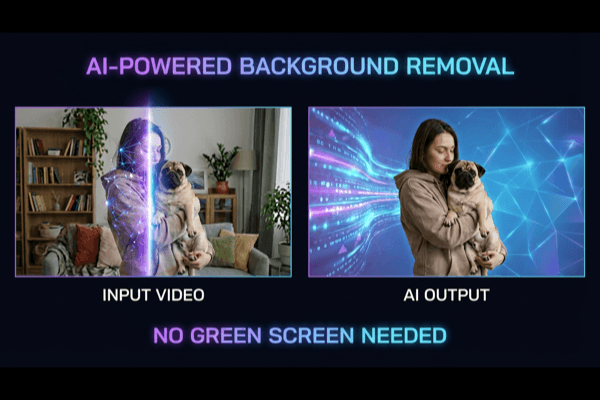
Generate a clean transparent background video without green screen setup. Maintain natural movement and preserve details around hair and hands.
Reusable Creative Assets
One transparent background video can power website hero blocks, ad variants, onboarding animations, and social snippets from a single source clip.
Ship Transparent Background Video Faster
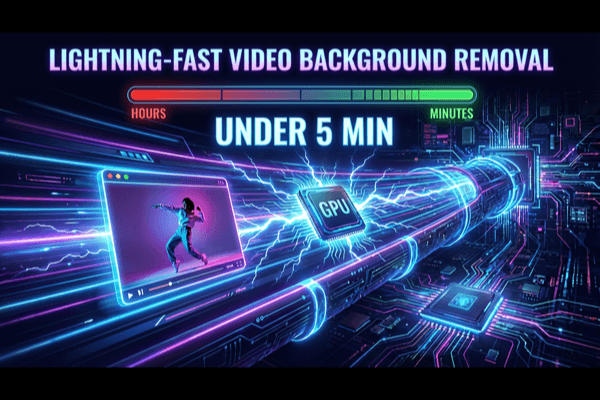
A production-ready transparent background video pipeline reduces manual masking, shortens review cycles, and helps teams publish more versions in less time.
Choose the Right Output for Each Use Case
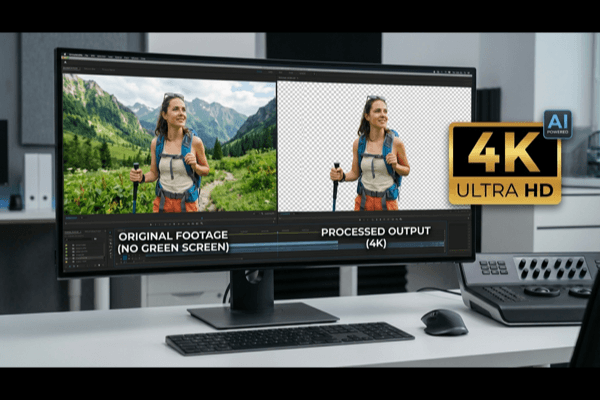
Export your transparent background video for browser use, product demos, or post-production timelines. Pick format by destination and keep quality consistent.
Transparent Background Video Practical Guide
Use this field-tested checklist to improve every transparent background video result.
A professional transparent background video starts with source quality. Keep lighting stable, avoid heavy compression, and frame subjects clearly. When source footage is noisy, every transparent background video model has to guess edge boundaries, and that usually leads to shimmer. Better source input gives each transparent background video export cleaner detail and less correction later.
During review, inspect movement instead of only still frames. A strong transparent background video should keep edge continuity during turns, hand motion, and motion blur. If detail breaks around hair or sleeves, reduce aggressive settings and re-check at multiple timestamps. Treat each transparent background video as a motion asset, not a static cutout.
Format choice should follow destination. For web delivery, a compact transparent background video format can reduce load time and still preserve alpha. For editing pipelines, export options with stronger post flexibility may be better. Teams that scale often define a format matrix: one transparent background video profile for website playback, one for ads, and one for compositing.
Use reusable templates to increase output volume. A single transparent background video can be placed over product UI, lifestyle scenes, educational backgrounds, and campaign variants. This avoids repetitive shooting and helps content teams iterate faster. Over time, your transparent background video library becomes a production system that supports ongoing launches.
Finally, standardize QA criteria. Before release, check edge stability, spill visibility, motion realism, and final context fit. If you maintain this checklist, each transparent background video remains consistent across creators and editors. That consistency is what turns a tool into a dependable workflow.
Transparent Background Video FAQ
Clear answers for teams building a repeatable transparent background video process.
What is transparent background video used for?
A transparent background video is used when you need a subject layer without baked-in background. Teams use transparent background video assets in websites, app walkthroughs, ads, social edits, and branded motion templates.
Can I use transparent background video on my website?
Yes. Transparent background video is common in hero sections and product demos. WebM alpha is typically preferred for browser delivery when performance and visual quality both matter.
Is transparent background video good for marketing teams?
Absolutely. Marketing teams use transparent background video files to test multiple campaign backgrounds from a single recording, which speeds up iteration and lowers production overhead.
How do I get cleaner edges in transparent background video?
Start with stable source footage, then preview motion-heavy frames before export. A high-quality transparent background video workflow balances edge detail, spill suppression, and motion softness.
Can I create transparent background video without editing software?
Yes. You can generate transparent background video output directly online, then export files ready for websites, creative tools, or downstream editing.
What is the best workflow for repeatable transparent background video output?
Use a standard checklist: source quality check, preview edge consistency, select format by destination, and document export settings. This makes each transparent background video run reliable and scalable.

Ready to Create Transparent Background Video?
Launch your next transparent background video project with free preview, accurate edges, and export formats that work across product, marketing, and creative teams.