
Sora Background Remover
Remove and Replace Backgrounds with AI
Build clean outputs with sora background remover. Upload your clip, remove noisy scenes, and export sora background remover files for websites, product demos, ads, and editing workflows.
Remove BG Video Instantly
Upload your video to remove background automatically
Click to upload or drag & drop
Supported formats: MP4, MOV and WEBM
4K
Max Quality
60
Min Length
$0.50
Per Min
Video Background Removal Examples
See the power of our AI video background remover. Drag the slider to compare before and after results.
Already have a green screen?
View All ExamplesSimple, Transparent Pricing
No subscriptions. Pay only for your exports.
BASIC
Perfect for testing Sora video background quality
(180 credits) • 3 minutes of processing
What's included:
- Up to 4K video processing
- Transparent backgrounds (webm, mov, pngs, gif, webp)
- Free preview for all videos
STANDARD
Ideal for frequent Sora video workflow projects
(900 credits) • 15 minutes of processing
What's included:
- Up to 4K video processing
- Transparent backgrounds (webm, mov, pngs, gif, webp)
- Batch processing
- Free preview for all videos
- API access (coming soon)
PRO
Made for teams shipping high-volume background edits
(3600 credits) • 60 minutes of processing
What's included:
- Up to 4K video processing
- Transparent backgrounds (webm, mov, pngs, gif, webp)
- Batch processing
- Free preview for all videos
- API access (coming soon)
Need custom pricing or higher volumes? Contact support@removebgvideo.com
Why Teams Use Sora Background Remover
A sora background remover gives you reusable subject layers. Instead of rebuilding every scene, you can place one cleaned subject output over multiple campaign backgrounds, product contexts, and channel formats while keeping visual consistency.
AI Subject Isolation
Generate a clean subject layer without mandatory green screen setup. Preserve natural movement and key details around hair, fingers, and fast motion.
Reusable Creative Assets
One processed source can power landing pages, ad variants, onboarding animations, and social snippets from a single clip.
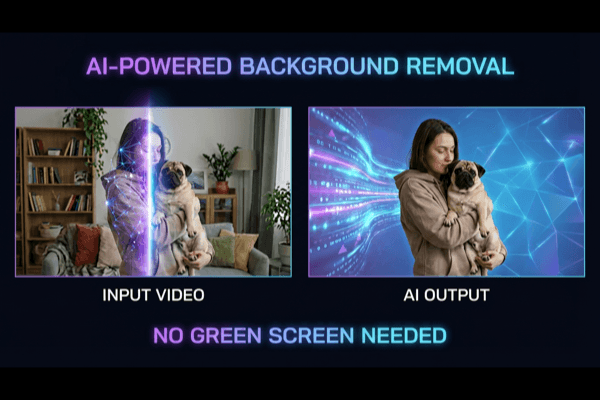
Ship Sora Background Remover Outputs Faster
A production-ready workflow reduces manual masking, shortens review cycles, and helps teams publish more variants in less time.
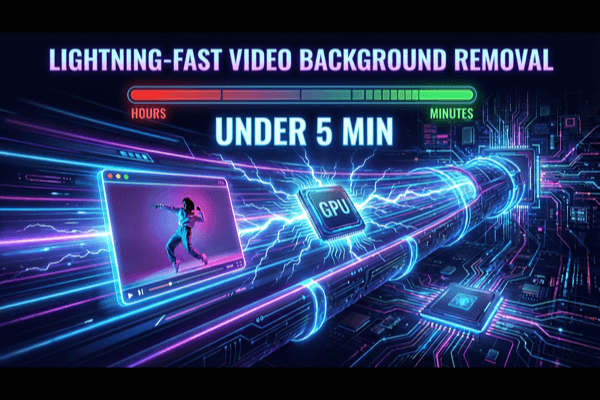
Choose the Right Output for Every Destination
Export your files for website playback, ad production, or editing timelines. Select format by channel and keep quality consistent.
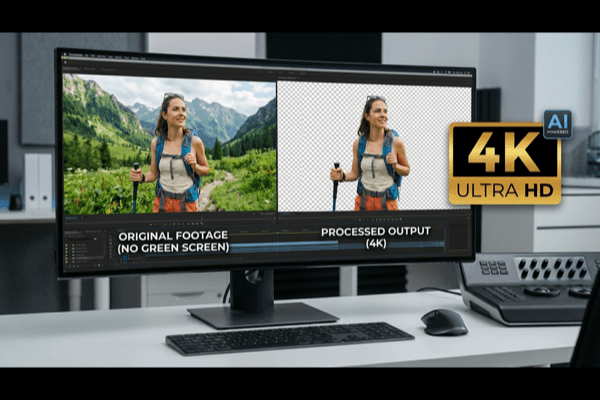
Sora Background Remover Practical Guide
Use this field-tested checklist to improve every sora background remover result.
A professional sora background remover workflow starts with source quality. Keep lighting stable, avoid heavy compression, and frame subjects clearly. When source footage is noisy, segmentation models have to guess edge boundaries, and that usually creates shimmer. Better source input gives each export cleaner detail and less correction later.
During review, inspect movement instead of only still frames. A strong output should keep edge continuity during turns, hand motion, and motion blur. If detail breaks around hair or sleeves, reduce aggressive settings and re-check at multiple timestamps. Treat each result as a motion asset, not a static cutout.
Format choice should follow destination. For web delivery, a compact format can reduce load time and still keep clarity. For editing pipelines, export options with stronger post flexibility may be better. Teams that scale often define a format matrix: one profile for website playback, one for ads, and one for compositing.
Use reusable templates to increase output volume. A single processed asset can be placed over product UI, lifestyle scenes, educational backgrounds, and campaign variants. This avoids repetitive shooting and helps content teams iterate faster. Over time, your asset library becomes a production system that supports ongoing launches.
Finally, standardize QA criteria. Before release, check edge stability, spill visibility, motion realism, and final context fit. If you maintain this checklist, each export remains consistent across creators and editors. That consistency is what turns a tool into a dependable workflow for high-volume publishing.
For product teams, it also helps to document intent for each output version. Write down the target placement, expected viewing time, and priority message before export. This removes ambiguity during review and makes feedback faster. Instead of debating style broadly, teams can validate whether each version supports the intended conversion goal.
For agency workflows, version naming discipline is critical. Include campaign name, ratio, language, and date in filenames so assets stay easy to search six weeks later. This simple habit saves significant time in handoff meetings and reduces the chance of publishing the wrong variant to paid channels or product pages.
Finally, keep a lightweight postmortem loop. After each campaign, record which visual treatments performed best and which processing settings required the least revision effort. Over several cycles, this builds a practical internal playbook that improves both creative quality and delivery speed without adding process overhead.
Sora Background Remover FAQ
Clear answers for teams building a repeatable sora background remover process.
What is sora background remover used for?
Sora background remover is used when you need to separate a subject from a Sora-style video scene and place that subject into new visual contexts. Teams use this workflow for landing pages, ad variants, social shorts, product explainers, and campaign localization where consistent subject quality matters.
Can I use sora background remover for website hero videos?
Yes. Sora background remover is well suited for website hero sections because you can keep subject focus while reducing scene distractions. By exporting files optimized for web delivery, this workflow helps design teams maintain speed, visual clarity, and conversion-oriented storytelling on modern landing pages.
Is sora background remover useful for marketing teams?
Absolutely. Marketing teams use sora background remover to produce more creative variants from one source clip. Instead of reshooting every scene, the process allows rapid testing across hooks, offers, and brand themes, which lowers production cost and shortens campaign iteration cycles.
How do I improve edge quality with sora background remover?
Start with cleaner source footage, avoid aggressive compression, and inspect movement-heavy moments before export. A reliable sora background remover workflow balances edge detail, motion softness, and spill cleanup. The goal is natural motion quality, not a harsh static cutout that breaks realism frame to frame.
Can I run sora background remover without desktop editing software?
Yes. You can run sora background remover entirely online, validate quality in preview, and export files that are ready for websites, social publishing, or downstream editing. This makes the workflow practical for creators and growth teams that need speed without complex software setup.
What is the best repeatable workflow for sora background remover?
Use a simple checklist: source quality check, mask preview, motion review, format selection, and final QA. When this workflow is standardized, output stays consistent across projects, and handoff between editors, marketers, and publishers becomes much smoother.
Can sora background remover scale for long-form content?
Yes. Sora background remover can support short clips and longer episodes when teams apply predictable review rules. Check difficult timestamps early, lock export profiles, and keep naming standards stable. This operational approach helps it stay reliable even when publishing volume grows.
How does sora background remover compare to manual masking?
Manual masking provides precise control but becomes slow at scale. Sora background remover automates most frame-by-frame work, so editors can focus on final creative polish. In most production setups, the workflow improves turnaround speed while keeping quality suitable for shipping campaigns.
Ready to Run Sora Background Remover?
Launch your next sora background remover project with free preview, cleaner edges, and export formats that work across product, marketing, and creative teams.